Does Microsoft PowerToys Have a Text Expander? The 2026 Answer

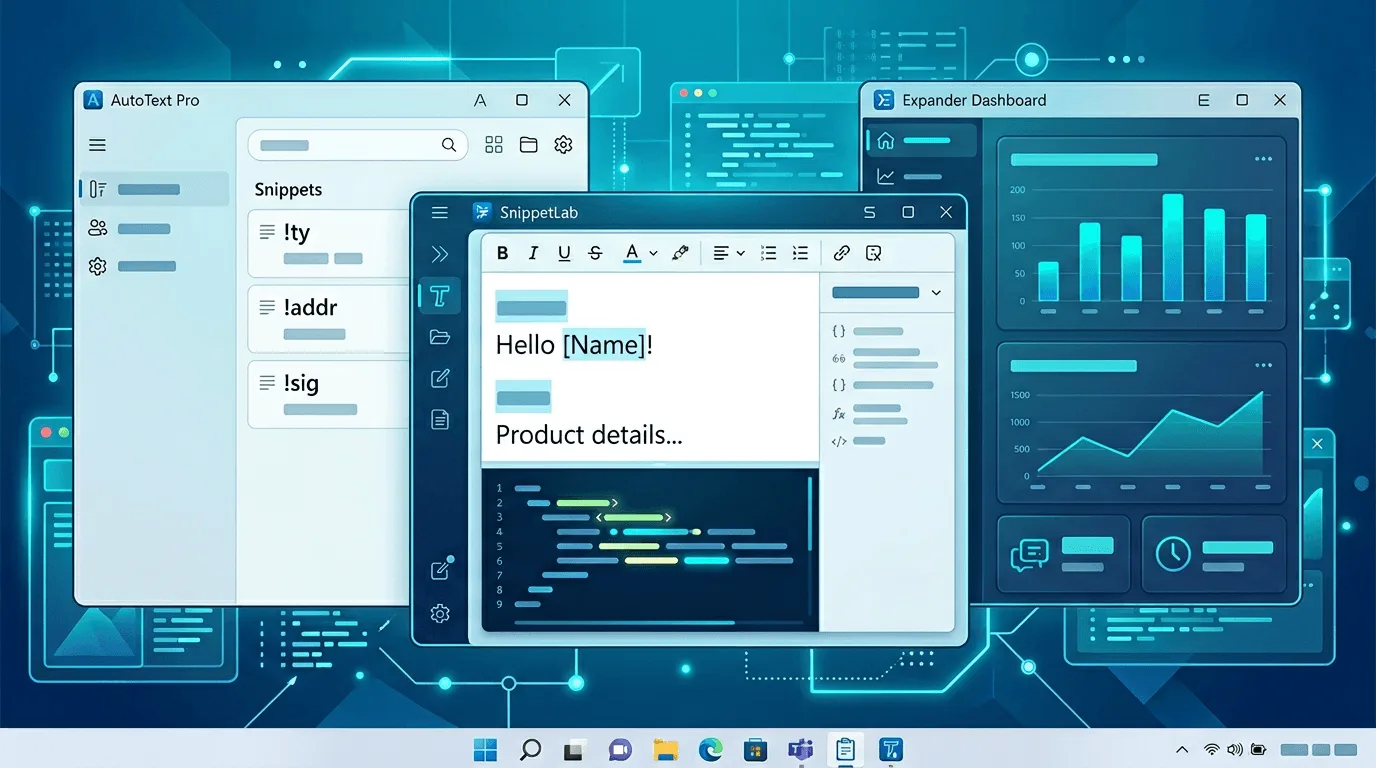
Short answer: no. As of PowerToys v0.100.2 (released 26 June 2026), Microsoft PowerToys ships 30 utilities and none of them is a text expander — there is no abbreviation-triggered snippet expansion anywhere in the bundle. The feature has been requested continuously since July 2020 and remains an open, unbuilt idea. If you need text expansion on Windows today, the working options are AutoHotkey, Espanso, Beeftext, Text Blaze, TextExpander and Lightning Assist — compared below.
Disclosure: we make Lightning Assist, a paid text expander, so several tools discussed here — including the PowerToys utility people wish existed — compete with us. Every claim below is sourced to a page we actually opened, and PowerToys itself is excellent free software that we use.
What PowerToys actually ships
Here is the full utility list from the official Microsoft Learn PowerToys hub (page last updated June 2026, verified August 2026):
Advanced Paste, Always On Top, Awake, Color Picker, Command Not Found, Command Palette, Crop And Lock, Environment Variables, FancyZones, File Explorer add-ons, File Locksmith, Grab And Move, Hosts File Editor, Image Resizer, Keyboard Manager, Light Switch, Mouse utilities, Mouse Without Borders, New+, Peek, Power Display, PowerRename, PowerToys Run, Quick Accent, Registry Preview, Screen Ruler, Shortcut Guide, Text Extractor, Workspaces, ZoomIt.
Thirty utilities — window management, file renaming, colour picking, monitor brightness, hosts-file editing — and not one snippet library. The word "snippet" does not appear on the utility list at all.
Why so many people think it does
Three things keep this myth alive, and they compound each other.
1. Text Extractor sounds like text expansion. Text Extractor is an OCR tool: press ⊞ Win+Shift+T, drag a box over your screen, and the recognised text lands on your clipboard. It moves text off the screen. Text expansion does the opposite — it puts text into the field you're typing in, triggered by an abbreviation. Same two words, opposite direction.
2. AlternativeTo ranks PowerToys #1 under "TextExpander alternatives." On the TextExpander alternatives page (checked August 2026), Microsoft PowerToys sits at position 1 with 313 likes — above AutoHotkey. Yet its own blurb there describes "FancyZones for window management, PowerRename for bulk renaming, and Keyboard Manager for custom shortcuts," and tags it as an Application Launcher and File Search tool. Nothing about text expansion. The ranking is community-voted and contradicts its own description — but it's what people see first.
3. Roundup articles copy each other. Once "PowerToys has a text replacement module" appears in one listicle, it propagates. We were not innocent here: an older post of ours, AutoHotkey alternative without coding, stated exactly that. We corrected it on 6 August 2026 — the section now describes Keyboard Manager accurately. If you read the old wording somewhere, this page is the accurate one.
Six years of asking: the GitHub record
The canonical request is issue #5074, "Text Replacement / expander", opened by joshthehappy on 18 July 2020, explicitly asking for the macOS/iOS text-replacement behaviour on Windows. As of August 2026 it is still open, with 63 comments and 216 reactions (142 of them 👍), last updated 4 August 2026 — two days before this post. Every subsequent request has been folded into it. Verified via the GitHub API, August 2026:
| Issue | Title | Opened | Outcome |
|---|---|---|---|
| #5074 | Text Replacement / expander | 18 Jul 2020 | Open — milestone "Suggested Ideas" |
| #11003 | add Text Expander function | 29 Apr 2021 | Closed — duplicate |
| #15601 | Text expander | 17 Jan 2022 | Closed — duplicate |
| #27704 | Text expander / "auto correct" | 31 Jul 2023 | Closed — duplicate |
| #30292 | Text Expander Module | 8 Dec 2023 | Closed — duplicate |
| #31352 | Text Expander | 8 Feb 2024 | Closed — duplicate |
| #36109 | text expansion/snippets | 26 Nov 2024 | Closed — duplicate |
| #36940 | Auto Text Expand or Auto Text | 17 Jan 2025 | Closed — duplicate |
| #37426 | espanso text expander | 13 Feb 2025 | Closed — duplicate |
| #47607 | PowerToys Snippets (system-wide text expansion) | 3 May 2026 | Closed — duplicate |
Nine separate requests over six years, all closed and pointed back at one thread that never shipped anything. That pattern — rather than any official statement — is the strongest available evidence that this isn't on Microsoft's near-term roadmap.
About that "Status-In progress" label
Issue #5074 carries two labels: Idea-New PowerToy and Status-In progress. Taken at face value, the second reads like Microsoft is building it. Be careful, because the same issue sits in the "Suggested Ideas" milestone — the bucket for things proposed, not scheduled — and six years have passed without a utility. The most recent substantive maintainer comment came from collaborator Jay-o-Way in November 2024, noting that PowerToys depends heavily on volunteer developers and that "the ratio of requests to active developers is… out of proportion." We found no maintainer comment in 2025 or 2026 announcing implementation, an owner, or a target release.
The label exists and we verified it. But a label is not a shipping commitment, and no v0.100.x release contains a snippets utility. Treat "Status-In progress" as tracked, not imminent.
The most recent proposal, and what happened to it
Issue #47607 — "Feature Request: New PowerToy — 'PowerToys Snippets' (System-wide Text Expansion)" — was opened on 3 May 2026 at 07:29 UTC, proposing a properly specified utility: keyword auto-expansion (!email → your address), dynamic placeholders for date/time, clipboard contents and final cursor position, rich- and plain-text modes, categorised snippet groups, and cross-application coverage in browsers, IDEs, Office and Slack.
It was closed as a duplicate at 09:14 UTC the same morning — 105 minutes later — by a maintainer running /dup #5074. That's correct triage housekeeping, not a rejection. But if you arrived from a page saying "PowerToys Snippets is coming," the accurate position is: a community proposal merged into a six-year-old thread, not an announced feature.
How to track it: open #5074 and click Subscribe. Watch for the issue being assigned to a named developer, or moved out of "Suggested Ideas" into a numbered release. Either would change this answer, and we'll update this page if it happens.
The three utilities that come closest — and where each stops
Keyboard Manager: closer than you'd expect, but not an expander
This deserves precision, because the common line "Keyboard Manager only remaps keys" is wrong. The official documentation states plainly that you can "exchange a key or shortcut to an arbitrary unicode text sequence" — there's a Text option in the "To send" column for both Remap a key and Remap a shortcut. Map Ctrl+G to Hello from shortcut! and it works. So why isn't that a text expander? Four reasons, all from the same doc:
- No abbreviation triggers. Expansion is driven by a hotkey, never by typing a word. Nothing watches for
;sigas you type it. - No dynamic content. No date/time tokens, no clipboard insertion, no cursor placement — the exact things #47607 asked for.
- Shortcut budget. Shortcuts must start with a modifier, end with an action key, and can't exceed four keys (five with a chord). A fifty-item snippet library is not addressable this way.
- Coverage gaps. Remapping "won't work on an app or window if that window is running in administrator (elevated) mode and PowerToys is not running as administrator," it doesn't function on password or log-in screens, and Microsoft advises against using it while gaming because key interception affects frame rate.
Verdict: fine for five to ten fixed strings you're willing to memorise hotkeys for. Not a snippet system.
Quick Accent and Advanced Paste: neither is expansion
Quick Accent lets you hold a letter, press Space or an arrow, and pick an accented variant — à, ñ, ő — from sets covering 37 languages plus IPA and currency. It cannot accept a user-defined string; the mappings are compiled into the source. It solves diacritics, not boilerplate. Advanced Paste converts whatever is already on your clipboard into another format, with an optional AI step — useful, but it presupposes you copied the text a moment ago. A text expander exists so you never have to find and copy that paragraph again.
Does Windows itself ship a text expander?
Also no — and this is the underlying reason the PowerToys thread never dies.
macOS does have one. Apple documents it directly: System Settings → Keyboard → Text Replacements, which will "automatically replace certain text with other text or symbols," syncing across devices via iCloud (Apple Support). That's the feature #5074 has been asking Microsoft to match since 2020.
Windows has three things people mistake for it. Office AutoCorrect — "Replace text as you type" is real, but Microsoft's own Word AutoCorrect page scopes it to Word editions; your addr shortcut stops existing the moment you click into Slack, a browser CRM or VS Code. Clipboard history (⊞ Win+V) — per Microsoft's documentation it holds 25 entries, up to 4 MB each, clearing on restart unless pinned; a recall tool with no trigger concept. Autocorrect in typing settings — fixes misspellings; you can't map ;meeting to a three-paragraph agenda.
We found no Microsoft documentation describing a system-wide, user-defined text-replacement setting in Windows 11. Absence of documentation isn't formal proof — but combined with a six-year request thread full of people asking to "ditch third party apps for this," the conclusion is safe.
What actually works on Windows today
Prices from public vendor pages, verified August 2026 — confirm before buying.
| Tool | Price | Config | Scope | Platforms | Voice / AI |
|---|---|---|---|---|---|
| AutoHotkey | Free (GPL-2.0) | .ahk scripts |
System-wide | Windows only | No |
| Espanso | Free (GPL-3) | YAML files ("a GUI is planned for the future") | System-wide | Windows, macOS, Linux | No |
| Beeftext | Free (MIT) | GUI | Any field supporting copy/paste | Windows only | No |
| Text Blaze | Free tier; Pro $3.49/mo or $2.99/mo annual; Business $8.39 or $6.99/user/mo annual | GUI | Chrome extension, plus Windows and Mac apps | Windows, macOS, Chrome — no Linux | AI features, no voice |
| TextExpander | Free (5 active snippets); Pro $6/mo per user ($60/yr annual); Business $12/mo per user ($120/yr annual) | GUI | System-wide | Mac, Windows, Chrome, iOS — no Linux | No voice |
| Lightning Assist | Free plan (unlimited expansion, 20 snippets); Pro $5.99/mo | GUI | System-wide (OS-level keystroke injection) | Windows, macOS 12+, Linux | Yes — both |
Quick guidance: AutoHotkey if you'll happily maintain scripts; Espanso if you like declarative config and need macOS or Linux; Beeftext if you're Windows-only and want a free GUI (see Lightning Assist vs Beeftext for its ceiling); Text Blaze if your typing genuinely happens in Chrome. Our best text expanders for Windows in 2026 roundup goes deeper, and free tools to automate typing on Windows covers the zero-cost route.
Where Lightning Assist fits — plainly
Lightning Assist is a native desktop app, not a browser extension. It injects keystrokes at the OS level, which is why the same snippet works in desktop applications, terminals, IDEs and browsers alike — the expansion isn't running inside a web page, so it isn't confined to one. By default it uses As-You-Type Mode: type the trigger you saved and it expands inline, no hotkey press. Prefer a deliberate keypress? Switch to Hotkey Mode. See all activation modes →
Cost, stated fully: text expansion is free, forever — unlimited expansion, up to 20 snippets, folders and one team, no card. Pro is $5.99/month (code LIFETIME50: $2.99/month) and lifts the snippet cap, adds suggestions as you type, Lightning Recall and up to 15 teams; the 14-day trial needs no credit card. AI Chat, AI Commands, AI Enhance and push-to-talk voice run on AI Credits on every plan. Nothing you created is ever locked or deleted. Full breakdown on pricing.
Honest positioning: we are not the cheapest text expander — Espanso, AutoHotkey and Beeftext are free, and Text Blaze Pro undercuts us. What we can claim is being the cheapest option that ships Windows, macOS and Linux with built-in voice dictation in one app. If you need neither Linux nor voice, a free tool may serve you perfectly well.
Download the 14-day trial — no credit card required.
Frequently asked questions
Does PowerToys have a text expander in 2026?
No. PowerToys v0.100.2 ships 30 utilities and none of them performs text expansion. The request (issue #5074) has been open since July 2020 with 216 reactions and remains in the "Suggested Ideas" milestone. Verified August 2026.
Can PowerToys Keyboard Manager work as a text expander?
Partially. It can map a key or shortcut to an arbitrary Unicode string, so Ctrl+G can type a sentence. It cannot expand a typed abbreviation, insert dates or clipboard contents, place your cursor, or organise snippets into a library — and it won't fire in elevated windows unless PowerToys itself runs elevated.
Is PowerToys Text Extractor the same as text expansion?
No — it's the opposite. Text Extractor uses OCR (⊞ Win+Shift+T) to copy text from your screen into your clipboard. Text expansion inserts stored text into the field you're typing in.
Does Windows 11 have a built-in text replacement feature like the Mac?
Not system-wide. macOS ships Text Replacements under System Settings → Keyboard; Windows has no documented equivalent. Office AutoCorrect covers Office apps only, and clipboard history (⊞ Win+V) stores 25 recent items with no trigger mechanism. That gap is why the PowerToys request has stayed alive for six years.
Will Microsoft add a PowerToys Snippets utility?
Unknown. The most detailed proposal, #47607, was closed as a duplicate 105 minutes after opening in May 2026 and folded into #5074. There is no assigned developer, no release milestone, and no maintainer statement in 2025–2026 committing to it.
What's the best free text expander for Windows?
Windows-only and want a GUI: Beeftext (MIT, free). Also on macOS or Linux: Espanso, free and cross-platform at the cost of editing YAML. Already writing scripts: AutoHotkey hotstrings cost nothing but maintenance time — our no-code AutoHotkey alternatives guide covers when that trade stops being worth it.
Sources
- Microsoft PowerToys hub — full utility list
- PowerToys latest release — v0.100.2, 26 June 2026
- Issue #5074 and #47607 — state, labels, milestone, closure
- Keyboard Manager, Text Extractor and Quick Accent docs
- Apple — Replace text and punctuation on Mac; Microsoft — AutoCorrect in Word; Microsoft — Clipboard in Windows
- AlternativeTo — TextExpander alternatives; Text Blaze plans; TextExpander pricing; Espanso; Beeftext; AutoHotkey